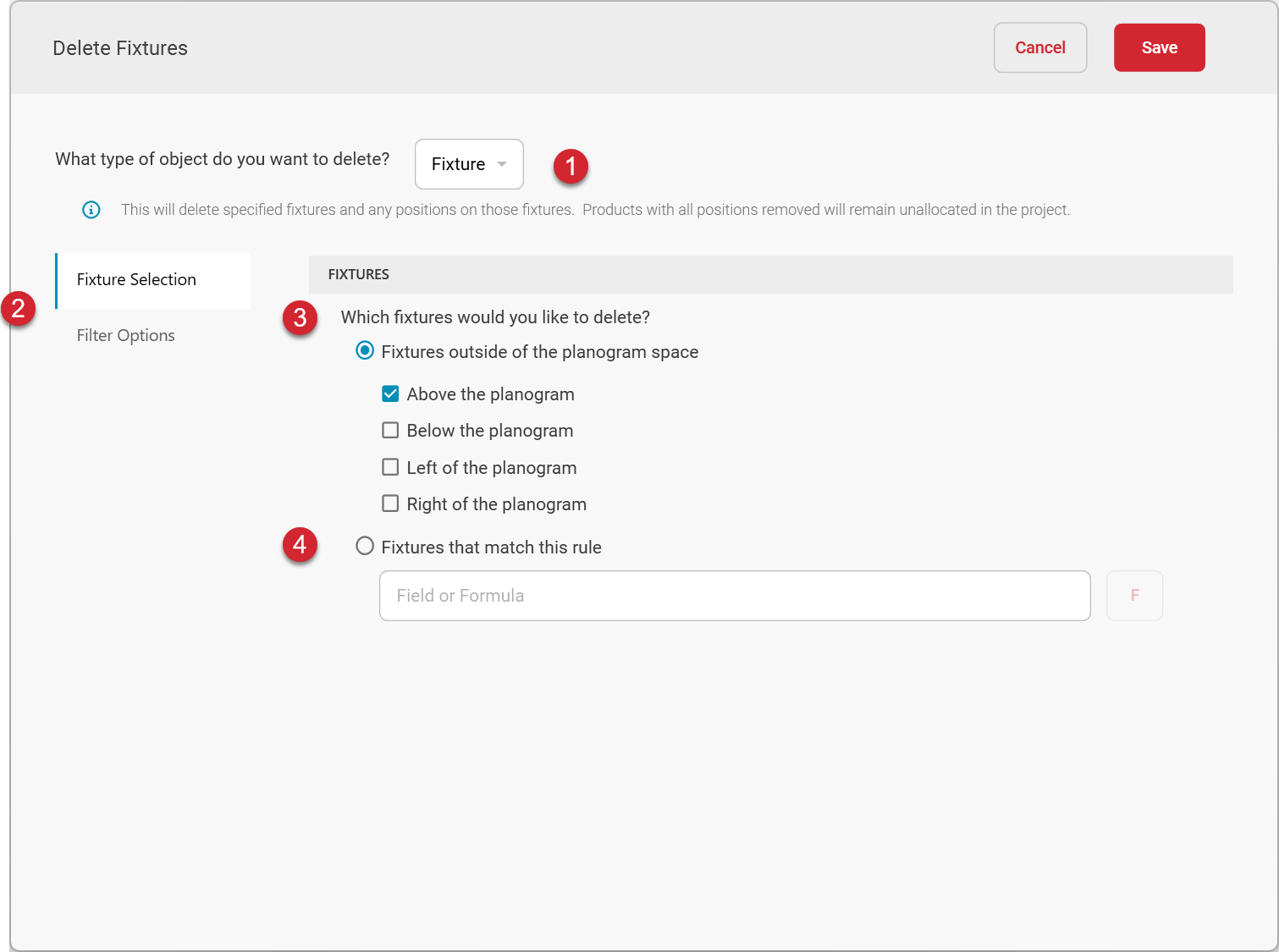
This option will delete specified fixtures from each planogram. Use a formula or select locations outside of the planogram to specify which fixtures to delete. To remove fixtures from a subset of planograms in the batch, specify a planogram filter to target specific planograms.
Deleting fixtures will also remove any positions that are placed on the fixture.
Accessing Delete Fixtures
What type of object do you want to delete?
To delete fixtures, choose Fixture as the type of object to delete.
Fixtures
Which fixtures would you like to delete?
Fixtures outside of the planogram space
If you need to remove fixtures that are outside the bounds of the planogram, you can choose any or all of the options to remove fixtures that are above, below, to the right, or to the left of the planogram.Any fixtures that are completely outside of the planogram in the selected directions will be removed.
Fixtures that match this rule
If you need to remove fixtures that match certain criteria, you can use the option to remove fixtures that match a rule. Use the formula builder to define the rules that identify the fixtures to be deleted.To specify which fixtures to delete, choose Fixture Selection. To limit the planograms on which the fixtures will be deleted, choose Filter Options. The Filter Options page allows you to define a filter formula. Only planograms matching the filter formula will be the ones on which the specified fixtures will be deleted.
Was this page helpful?
Assistant
Responses are generated using AI and may contain mistakes.