
Why you would use this feature
This automation is helpful any time you have multiple separate sources of product data and want to update a set of planograms from each of the sources in one action.Feature Options
Add Import
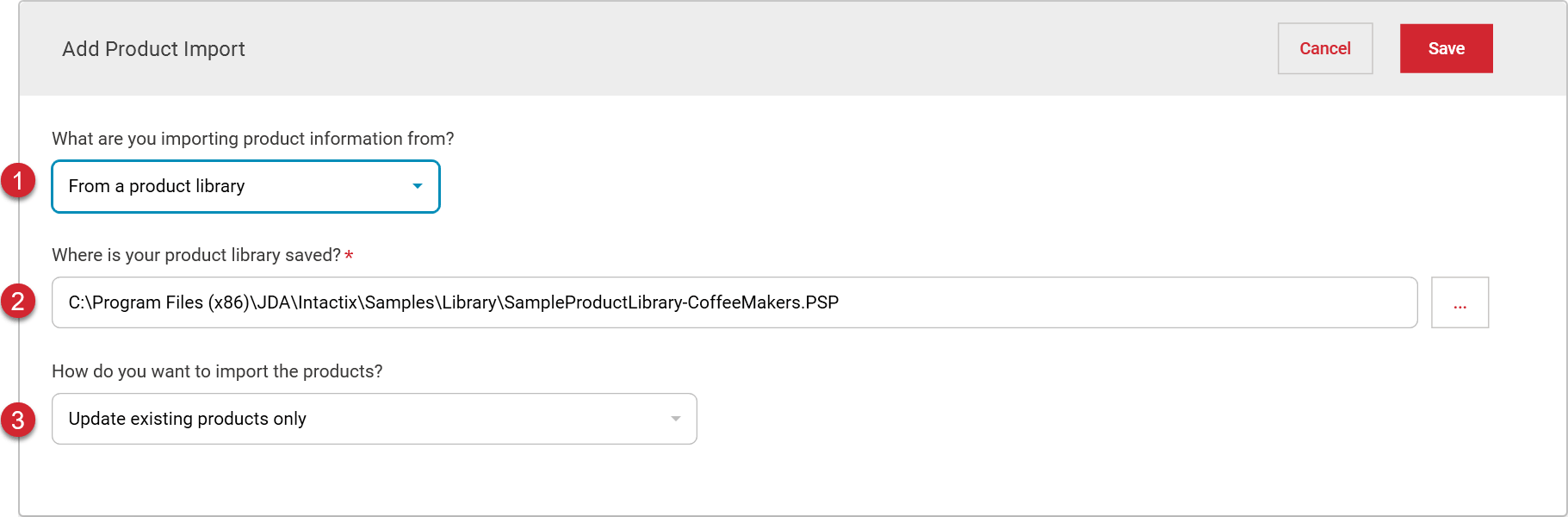

Select the type of source for your product data.
From a product library - Allows you to select a product library as your data source
From a planogram file - Allows you to select a planogram file as the source for product updates

Browse for or enter the location of the product library or planogram file (depending on your selected source type) to use as the product data source for your import.

Select how you would like to import the products.
Update existing products only - will only update products from the data source that are already in the planogram
Add new products only - will add products from the data source if they are not in the planogram, but not update any products already in the planogramUpdate existing products and add new products - will add products from the data source if they are not in the planogram, and also update any products from the data source that are already in the planogram
Product Import List
# | |
|---|---|
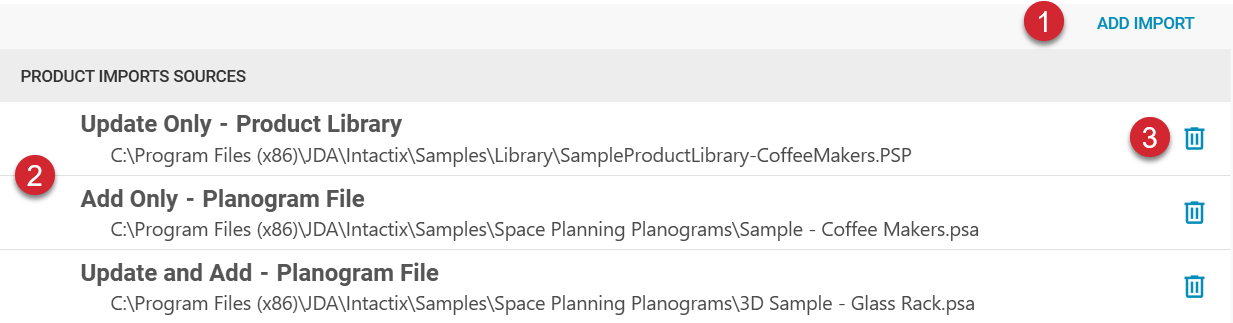
| Use the Add Import button to add additional import source options. |
| Product import sources are listed in order of how they will be applied starting with the update at the top and moving down. Imports can be reordered in the list by dragging and dropping them within the list. |
| Product import sources can be removed from the list by clicking on the trash can. |