
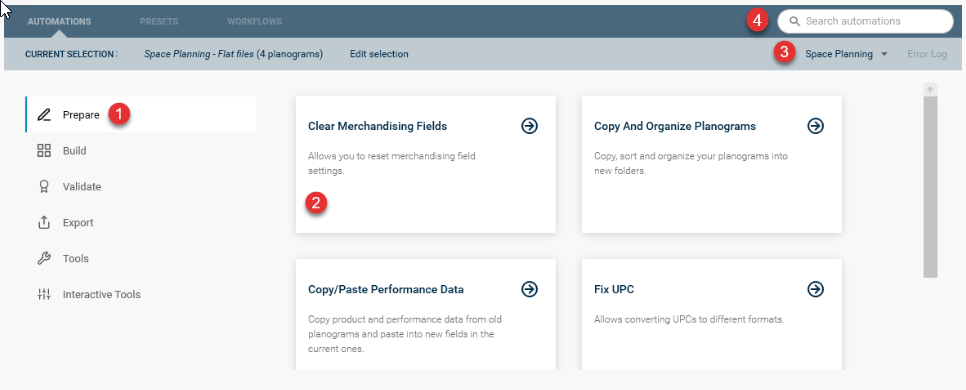

The automation group panel lists all the automation groups you have activated. Clicking on one of the group options will select the group and display the automation options in the center panel.
The main Space and Floor Planning commands are grouped by the stage of the planogramming or floorplanning process you are most likely to use the commands in.

Once a group has been selected, the automations available for that group are displayed. Each automation is displayed on a card showing the name and a brief description of what the automation does. When you have decided which automation you want to use, you can click on the card to load the automation, so it can be configured and run.

Allows users to switch between Space Planning & Floor Planning based on their activation of the software.

If you are looking for a particular automation or an automation that performs a certain type of function, you can use the search option to search all the available automations. To search, click in the search box, enter the words you want to search for and press enter. All the commands that match your search will be displayed.