
Steps
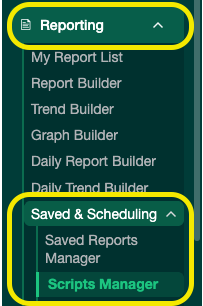
- From the Reporting menu, navigate to either Saved Report Manager or Script Manager.
- Find the report or script you want to hide.
- Click Edit.

- Uncheck the Active checkbox.

- Click Save.
- Refresh the page — the report or script will no longer appear in the list.