
Steps
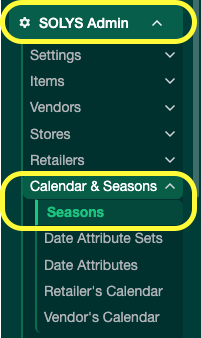
- Click SOLYS Admin.
- Go to Calendar & Seasons → Seasons.
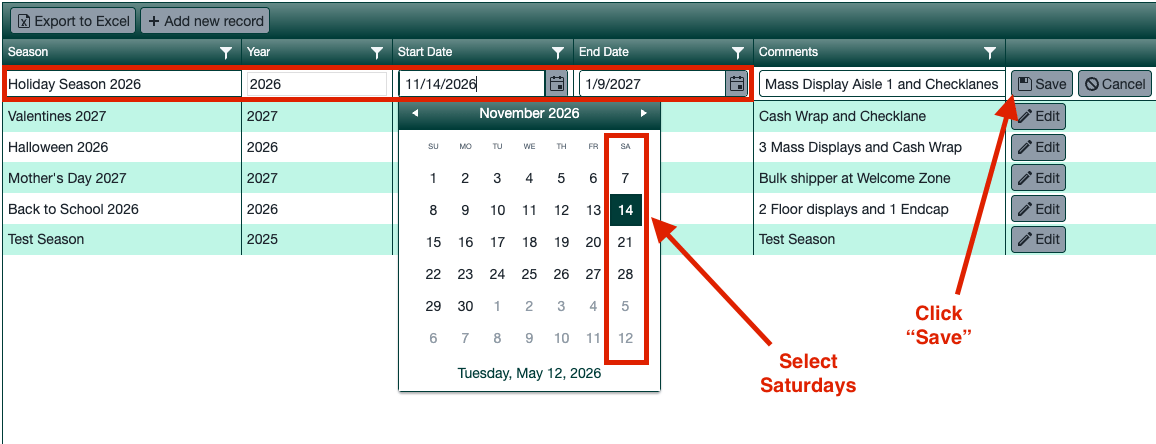
- Click Add New Season and fill in the fields:
- Season Name
- Start Week and End Week — always use Saturdays for the week-ending date.
- Click Save.
Seasons are custom time periods you define for recurring reporting windows — Christmas, Back to School, Planogram Transitions, fiscal quarters, and more.