
Steps
- From the Reporting dropdown, select Report Builder.
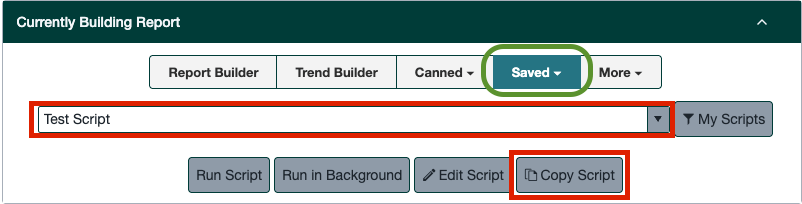
- Click Saved Script.
- Search for the script you want to copy.
- Click Copy Script.
- Choose your new product set (department, class, brand, CIG, or manufacturer).
- Scroll to the bottom and click Copy to New Script.