Option 1: Add a Trusted Location (Recommended)
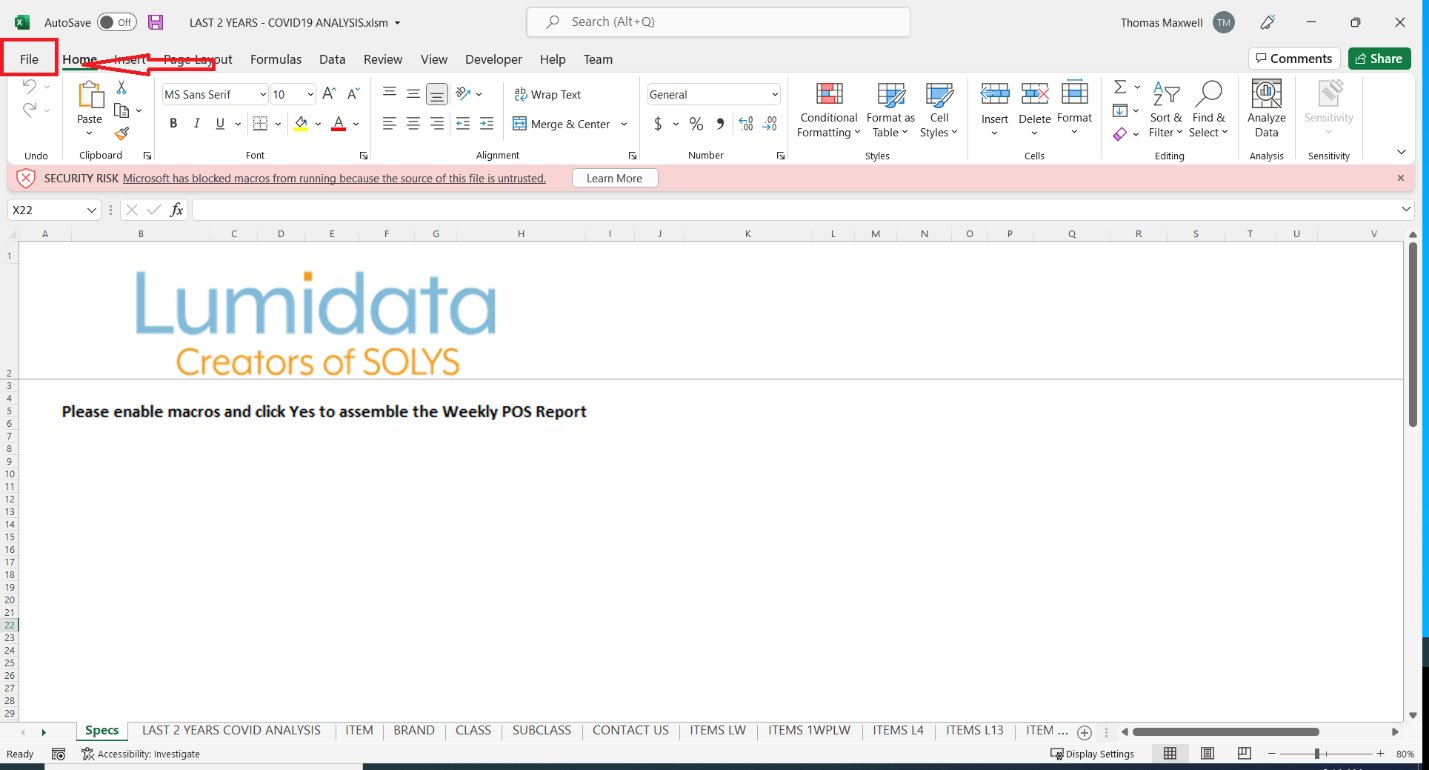
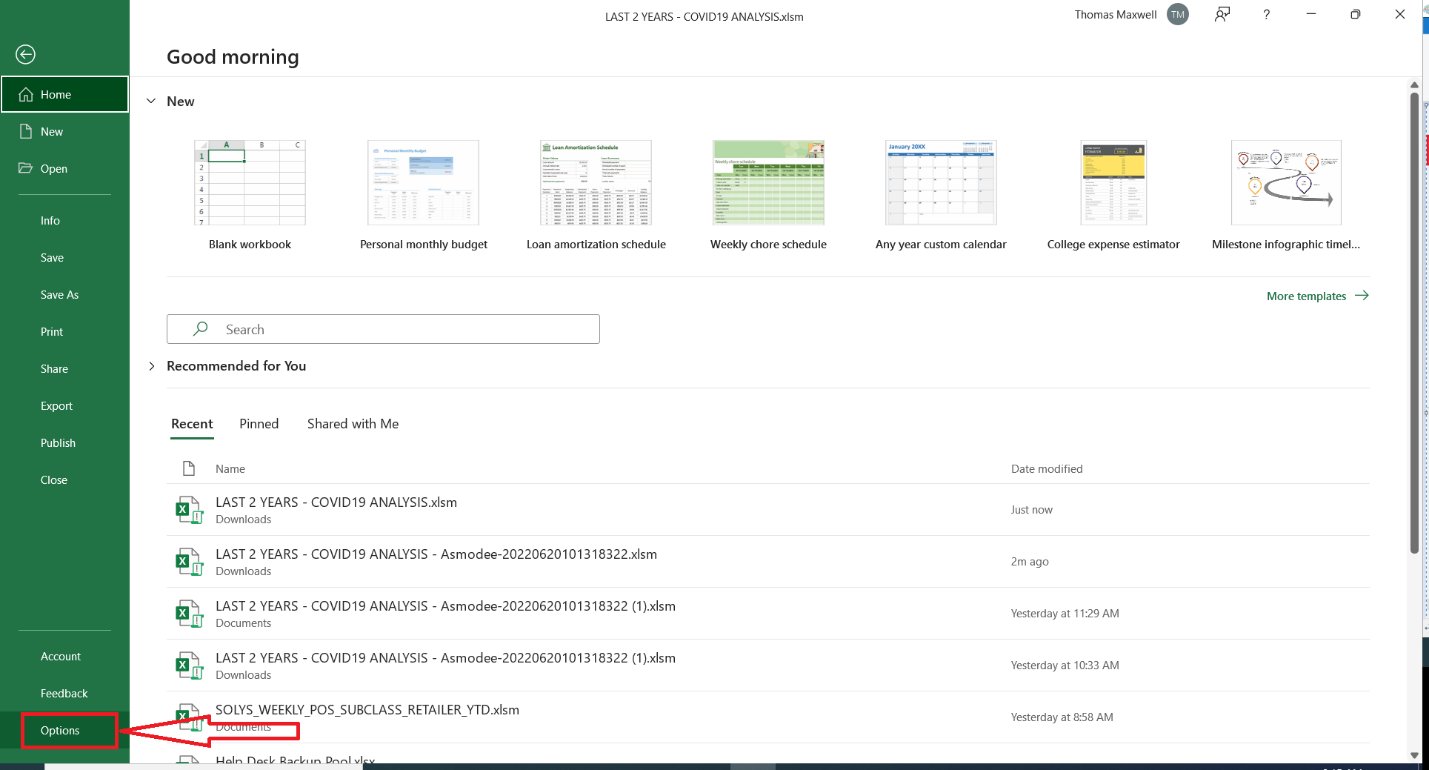
- Open Excel and click File → Options.
- Select Trust Center, then click Trust Center Settings.
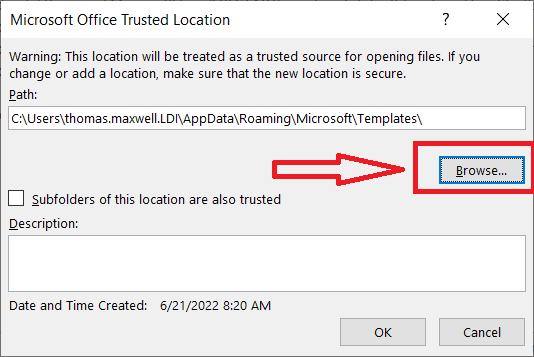
- Click Trusted Locations, then Add new location.
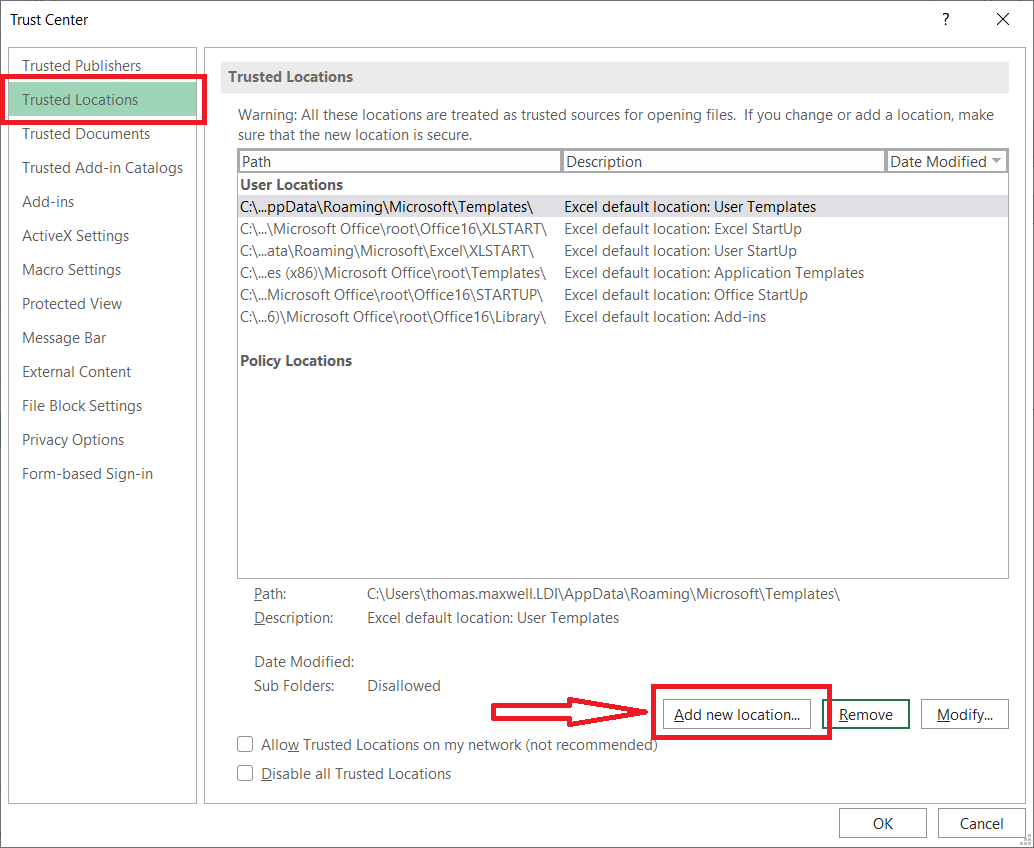
- Click Browse and select the folder where you save SOLYS reports.
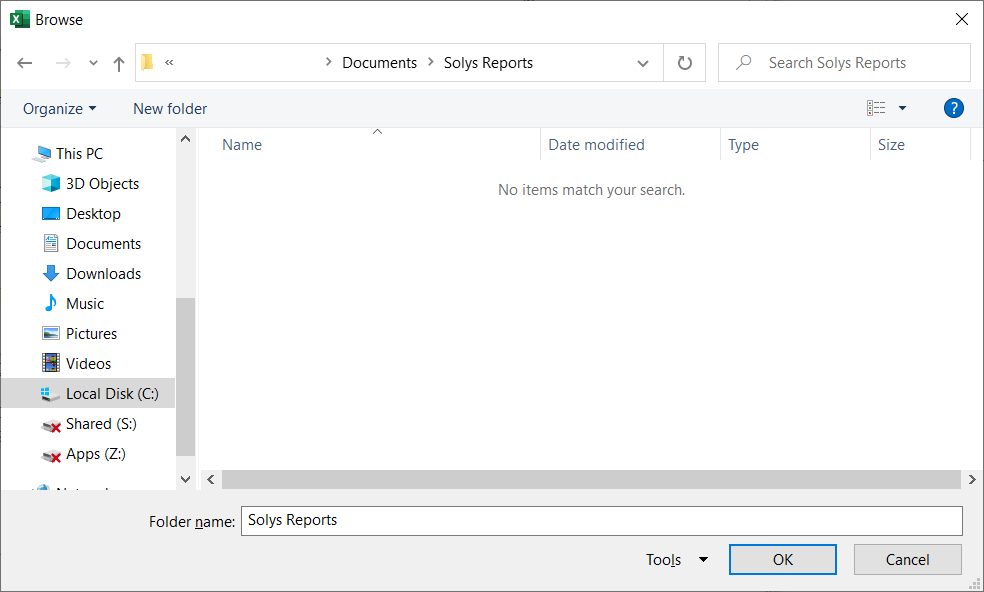
- Click OK to confirm.
Option 2: Enable VBA Macros (Less Recommended)
- Open Excel and click File → Options.
- Select Trust Center, then click Trust Center Settings.
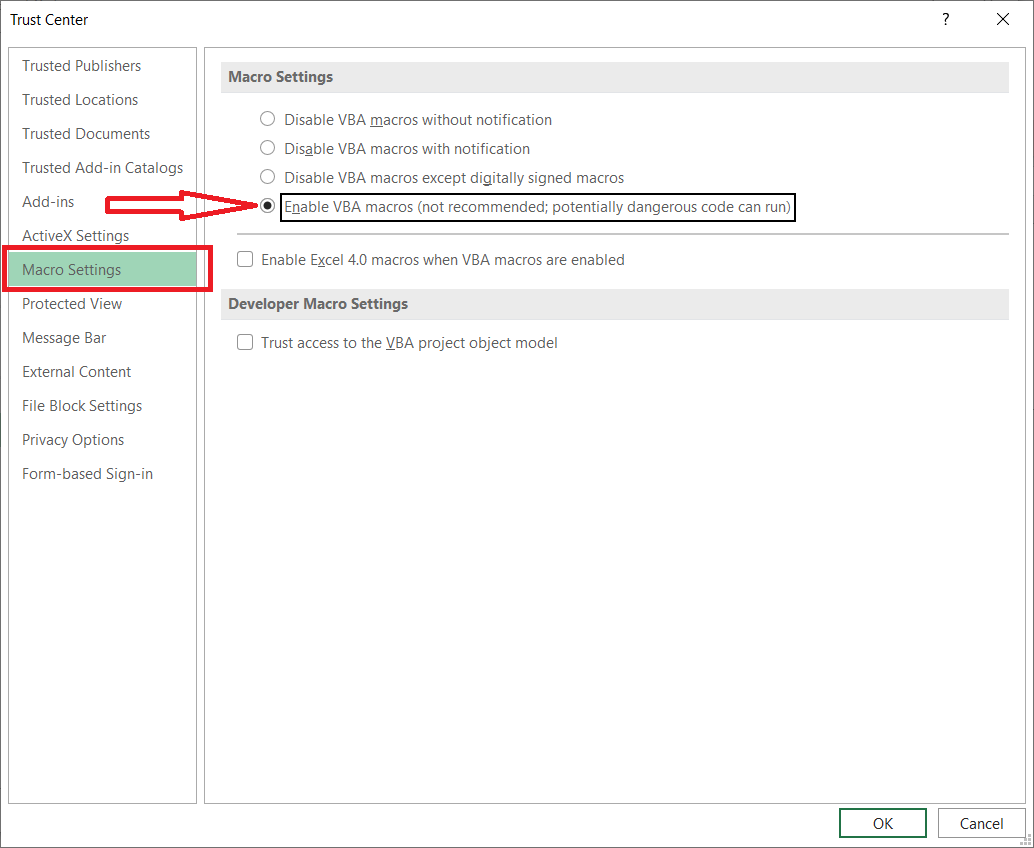
- Click Macro Settings and select Enable VBA macros.
- Click OK.