Why you would use this feature

SEM Remediation allows you to create or remove floating shelves and manage the DPCIs on those shelves. It also allows you to fix accessory fixtures and set your peg IDs to null.

Feature Options

Add Shelves

Within the Add Shelves section you can add a number of fixtures to the top of your planogram. They include Float Shelves (Orange), Obstructions (Blue) and/or Pegboard (Grey).

Delete Shelves

To remove any fixtures that were added, simply click on the fixtures within the Delete Shelves section. Based on your selection, the following fixtures can be removed from your Planogram(s). Float Shelves (Orange), Obstructions (Blue) and/or Pegboard (Grey). Folder options image

Add Products To Floating Shelf

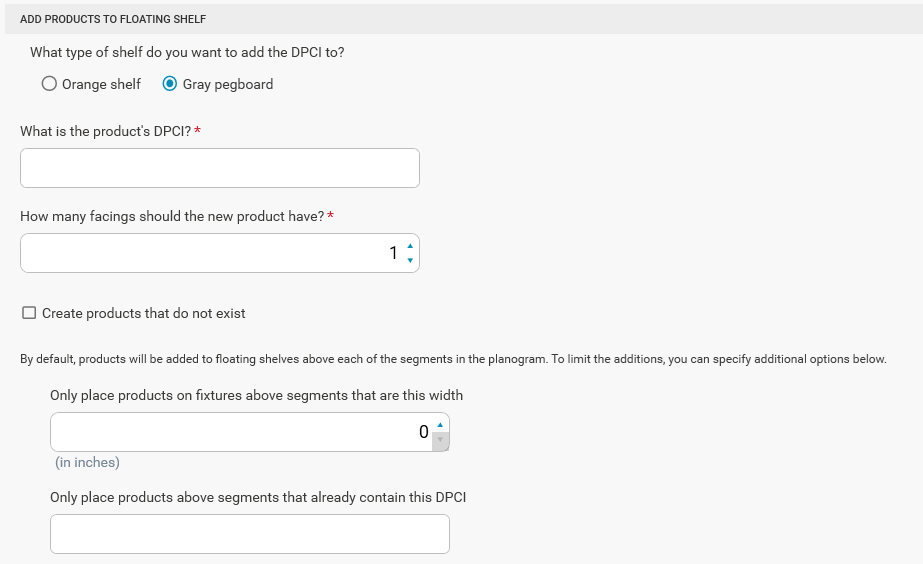
Folder options image Products can be added to the orange shelves or gray pegboards that are floating above the planogram. Choose which type of shelf the DPCI will be added to in the What type of shelf do you want to add the DPCI to? section. Enter the DPCI of the product you would like to add or delete in the field What is the product’s DPCI?. Enter the number of facings to add for the item under How many facings should the new product have?. Checking Create products that do not exist will create a product for the given DPCI when processing adds if one does not already exist in the planogram. Optionally for adds, specifying a value for Only place products on fixtures above segments that are this width will only place the adds on the fixtures above segments of the specified width. To place the adds on segments of any width, leave this value at zero. Specifying a DPCI in Only place products above segments that already contain this DPCI will only place the item on the floating shelf above the segment where that item is.

Remove Products From Floating Shelf

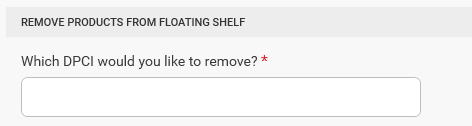
Folder options image Enter the DPCI of the product you want to be removed from the floating shelf in the Which DPCI would you like to remove? section.

Clean-Up Options

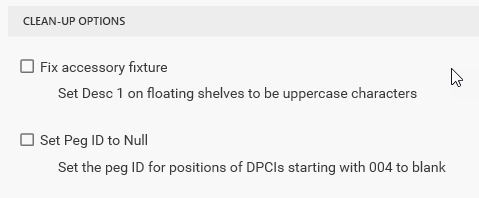
Folder options image Clicking Fix accessory fixture will convert Desc 1(Fixture) on the floating shelves so the text is in all uppercase. Clicking Set Peg ID to Null will check positions for DPCIs starting with 004 and set the Peg ID(Position) field to blank.