Why you would use this feature
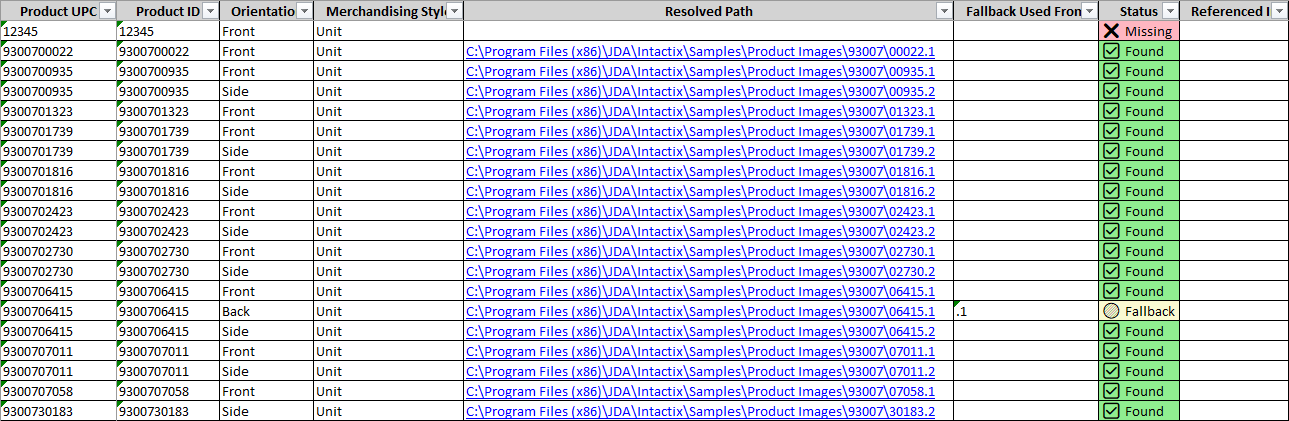
It is often difficult to determine which images are used for the products on a planogram, which products are missing images, and which orientations/merchandising styles are affected. This feature will provide both a summary and detailed information about images that are found, missing, or substituted (fallback) based on products merchandised on the planograms in your batch.Feature Options
Generate Image Status Report

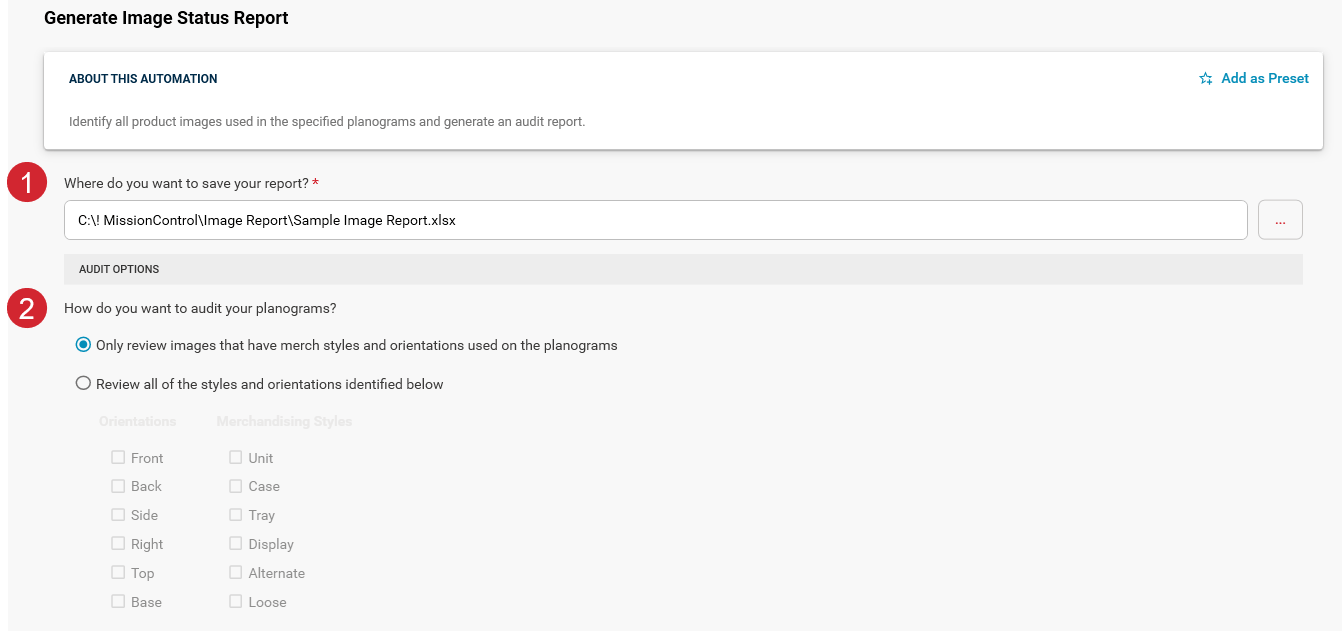
Choose the path and filename for your report. The Image Status Report will be saved as an Excel workbook using the name and location you specify.

There are two options to select from for specifying how this feature should find the images for the products merchandised on your planograms.
Only review images that have merch styles and orientations used on the planograms
This option will use only the merchandising styles and orientations that are actually used for each product on your planograms to attempt to locate the corresponding images. For example, if your products are only merchandised as units, the process will not attempt to find images for other merchandising styles (such as trays or cases) for those products.Review all of the styles and orientations identified below
This option will search for images for all of the merchandising styles and orientations you select regardless of how your products are merchandised on your planograms. For example, if you have merchandised all of your products as units, you could find out if you also have case images for your products by choosing the Case merchandising Style option.Sample Output
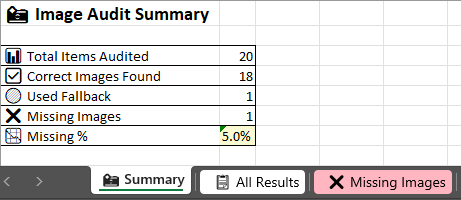
The Excel workbook produced will contain three sheets. The Summary sheet will display the count of the number of items audited, the number of correct images found, the number of fallback images used, the number of missing images, and the percentage of all images that were missing.