> ## Documentation Index
> Fetch the complete documentation index at: https://docs.gocrisp.com/llms.txt
> Use this file to discover all available pages before exploring further.
# Adding reports to a canned script
> If you want to add a report to the end of a script you didn’t build from scratch, here’s how.
If you want to add a report to the end of a script you didn’t build from scratch, here’s how.
## Steps
1. Go to **Reporting → Script Manager**.
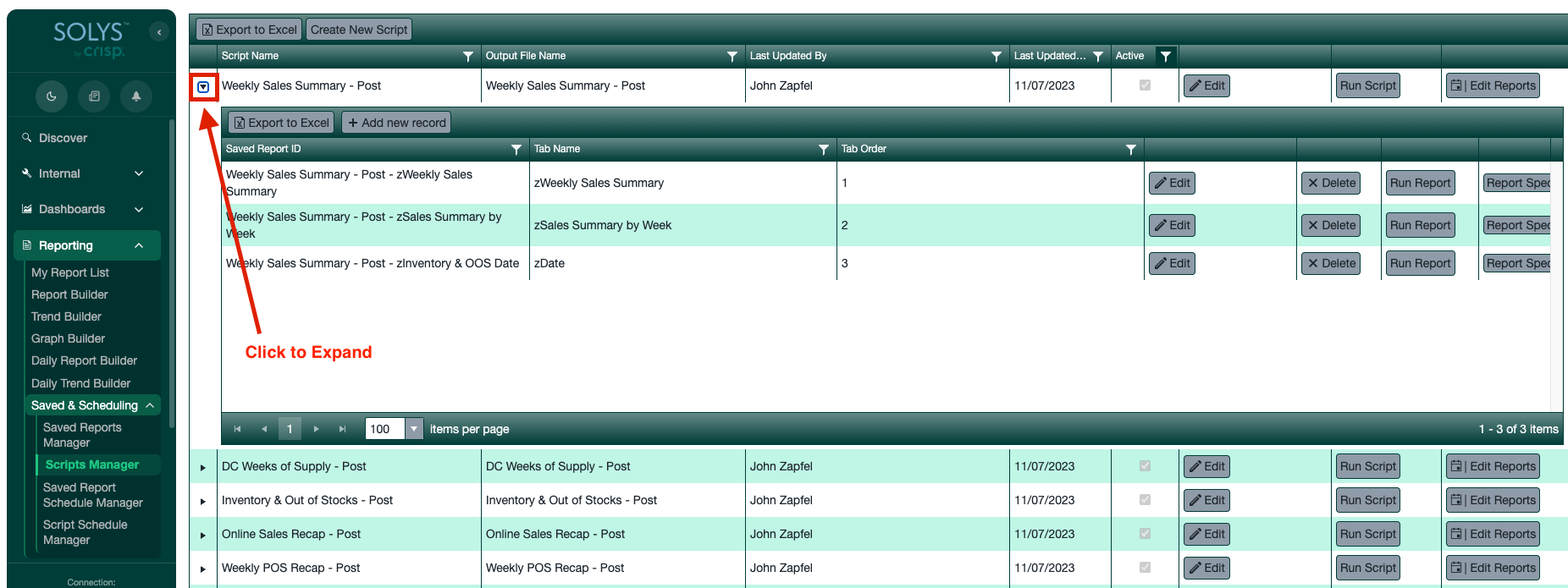
2. Find the script you want to add a report to and click the small **triangle** to the left of the script name to expand it.
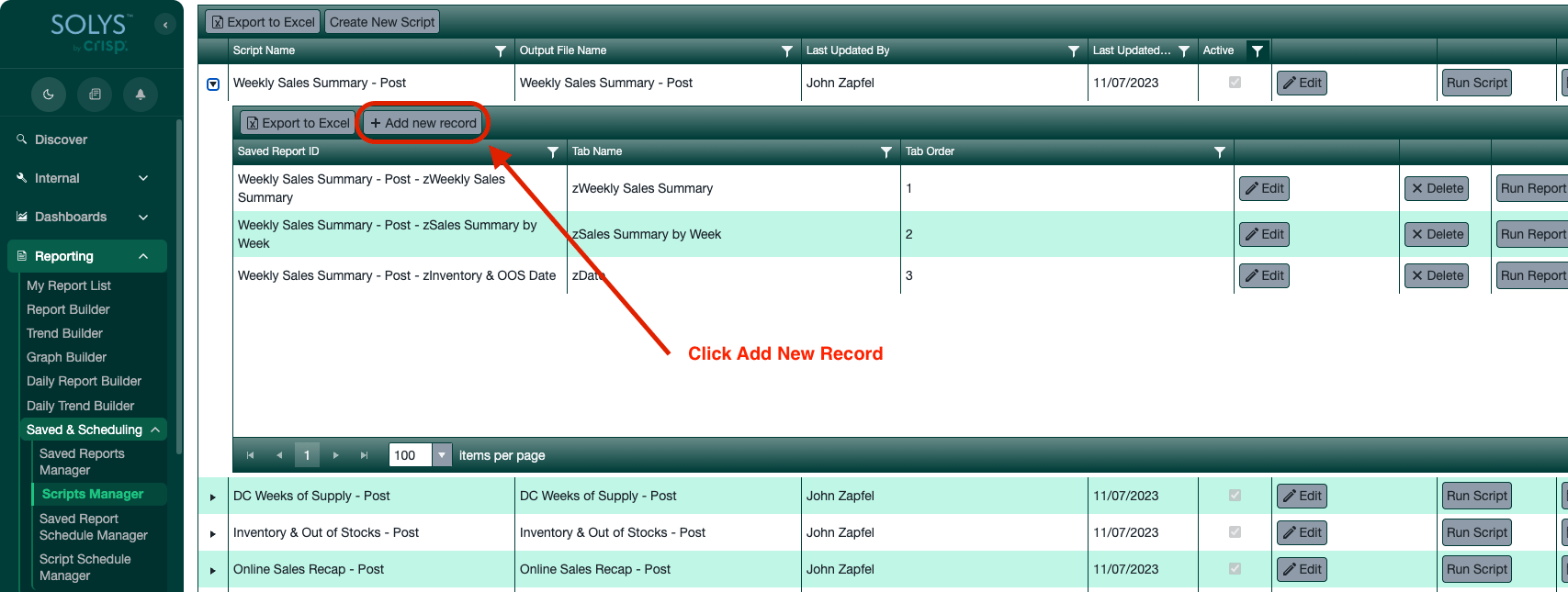
 3. Click **Add New Record**.
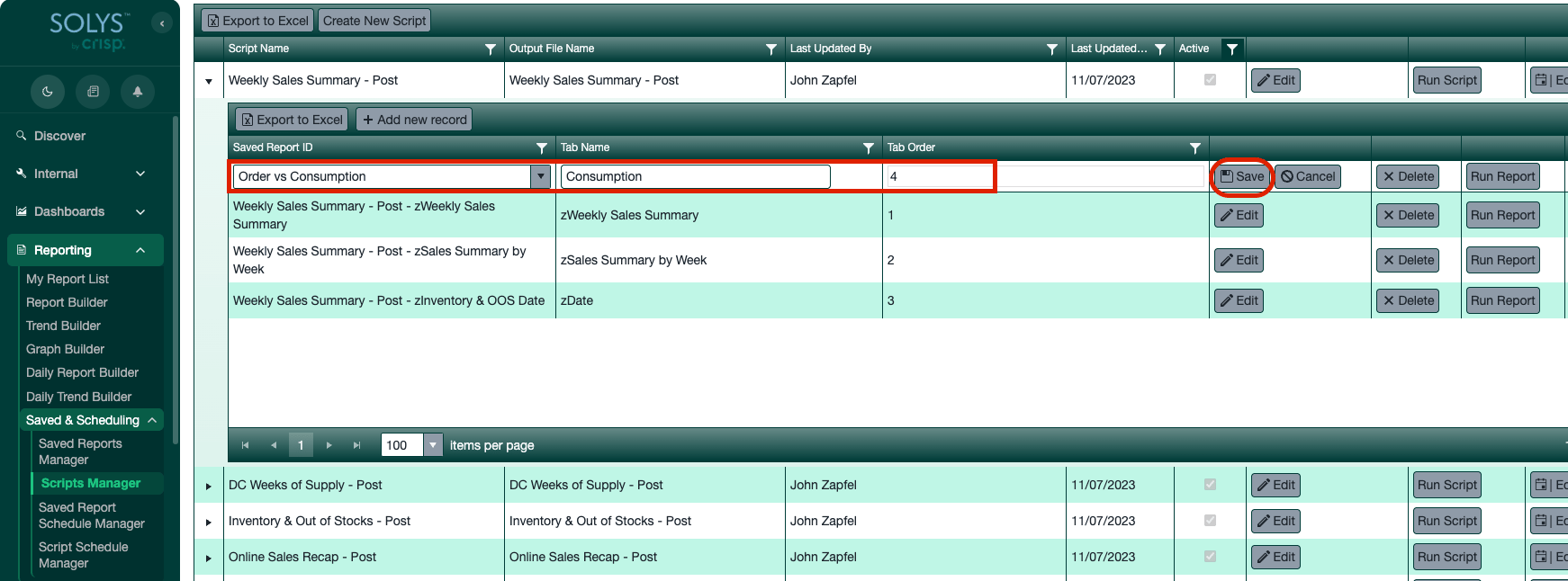
 4. Select the supplemental report you want to include.
5. Name the tab.
6. Set the **Tab Order** to the last number in the list so it appears at the end of the script.
7. Click **Save**, then run the script.
4. Select the supplemental report you want to include.
5. Name the tab.
6. Set the **Tab Order** to the last number in the list so it appears at the end of the script.
7. Click **Save**, then run the script.
 ## Support
**Hours:** Monday – Friday, 8AM – 4PM
**Email:** [support@gocrisp.com](mailto:support@gocrisp.com)
## Support
**Hours:** Monday – Friday, 8AM – 4PM
**Email:** [support@gocrisp.com](mailto:support@gocrisp.com)